Flooring visualizer
See whether a lighter wood, a warmer plank or a stone look suits the room you already have. Change the floor surface, then compare before buying materials.
A visual comparison, not a measured plan or an exact color match.
See the before-and-after example ↓Drag and drop your room photo here, or
JPG, PNG, or WEBP, up to 10MBGoogle sign-in before processing · Photo analysis is free.
A watermarked Preview is 1 credit. 3 credits on sign-up; clean Standard (2) and HD (3) require paid access.
One choice, shown on the same room
Actual preview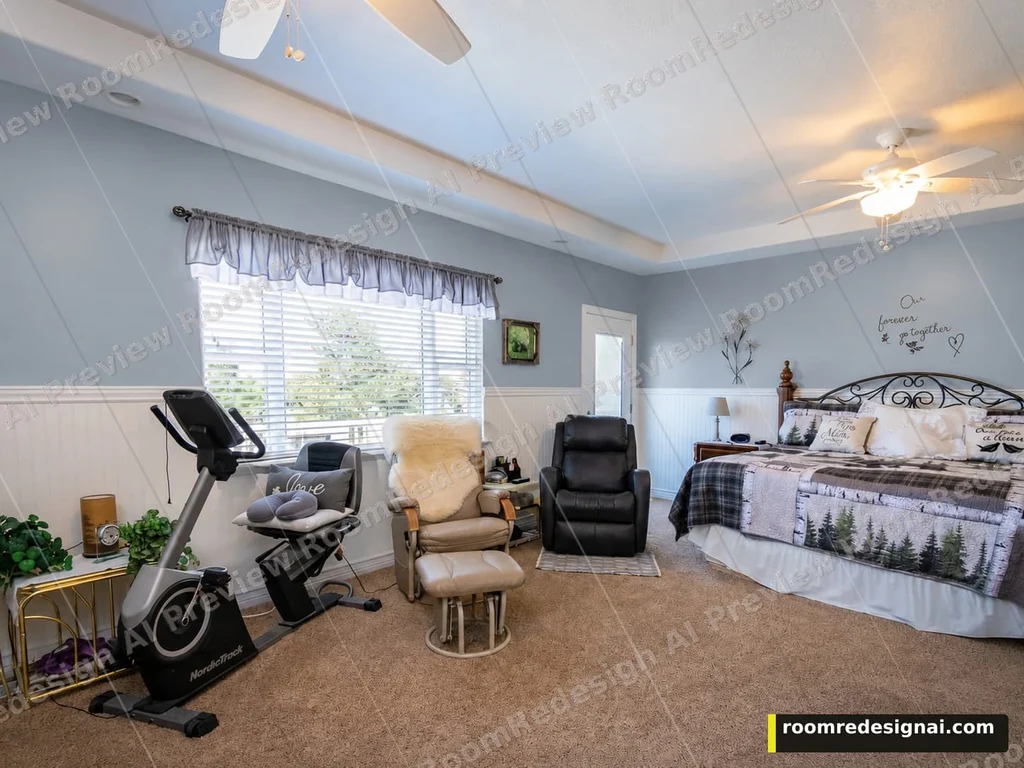
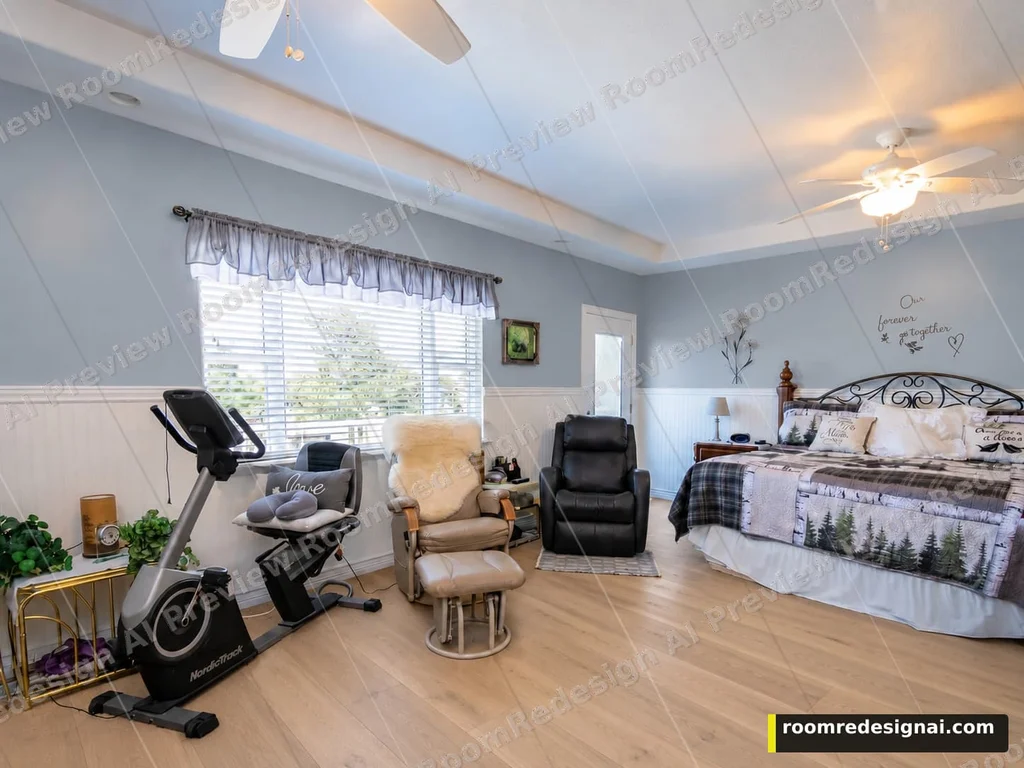
This comparison starts from the Dusty blue wall version and adds Light oak flooring. For a fresh floor decision, start from your original photo. Text, edges and small textures can shift.
Actual tool output · Watermarked Preview · Generated October 5, 2026
Choose a fixed finish, then compare
Upload a clear photo with the surface visible. The free analysis may suggest options; you can also choose from the full list. These swatches are approximate selection aids, not generated results.
Start each alternative from Original photo for a fair comparison. Choose This version only when you want to add another change to a result. The workspace keeps the original and recent versions; it is not an unlimited edit history.
There is no free-text or painted-region selection. Check the result for changes outside your chosen surface before making a purchase.
Use the preview to narrow a real decision
Look at the floor with your furniture in place
Show a useful area of floor as well as the room's furniture and walls. Compare the warmth and contrast of light oak, walnut, gray-washed wood, light stone tile or polished concrete without asking to replace the whole room.
Start from the same original for material alternatives
Generate each competing floor finish from Original photo. Our shown example demonstrates a different action: it keeps a Dusty blue wall version and then adds Light oak flooring. This version is for building on a result, not for an independent comparison.
Separate the visual choice from installation
The result does not measure the room, set plank dimensions, assess the subfloor or specify a product. Lighting can change the apparent material color. Bring a physical sample into the room and confirm measurements and installation separately.
AI can miss a visible surface in its recommendations. Use the matching category in the tool if the surface is clearly in your photo; do not treat a suggestion as a measurement or a promise.
Questions before you upload
Which flooring materials can I preview?
The fixed catalog includes light oak, warm walnut, gray-washed wood, light stone tile and polished concrete. These are approximate material looks, not specific retailer products or verified installation specifications.
Does it keep the walls and furniture?
The floor edit asks to retain walls, furniture, fixtures and the camera angle, with natural shadows on the new floor. Our example kept the large room elements, while some small fabric lettering shifted. Always compare the delivered result with its source.
Can it calculate how much flooring I need?
No. It does not measure your floor area, calculate waste, provide a price estimate or determine whether a material is suitable for the real room. Measure and check the actual product before buying.
Can I change the floor after choosing a wall color?
Yes. Select This version on the wall-color result and then a floor option. For comparing several floors alone, choose Original photo for each instead.
Try this decision on your room
Upload and analysis are free after Google sign-in. You confirm the quality and credit cost before generation.